
The basics
What is Dezajn?
Dezajn is a marketplace for original clothing. You can buy designs made by other creators or publish your own products from the same account.
Do I need to buy stock or ship products myself?
No. Designers do not need to keep boxes of clothing at home. A product is manufactured after a customer orders it, then it is packed and shipped to the customer.
Where are the clothes manufactured?
We manufacture clothing in four supported regions: the United States, Europe, the United Kingdom, and Australia.
Exact availability depends on the clothing type, color, and customer location. This is why some blanks are available in more regions than others.
What should I do first?
If you want to shop, open Marketplace. If you want to sell, open Create.
Check your region in Settings before you begin. Your region controls the currency and which products are available to you.
Shopping
Everything you need to find a product, choose it correctly, and follow the order.
How do I find clothing I like?
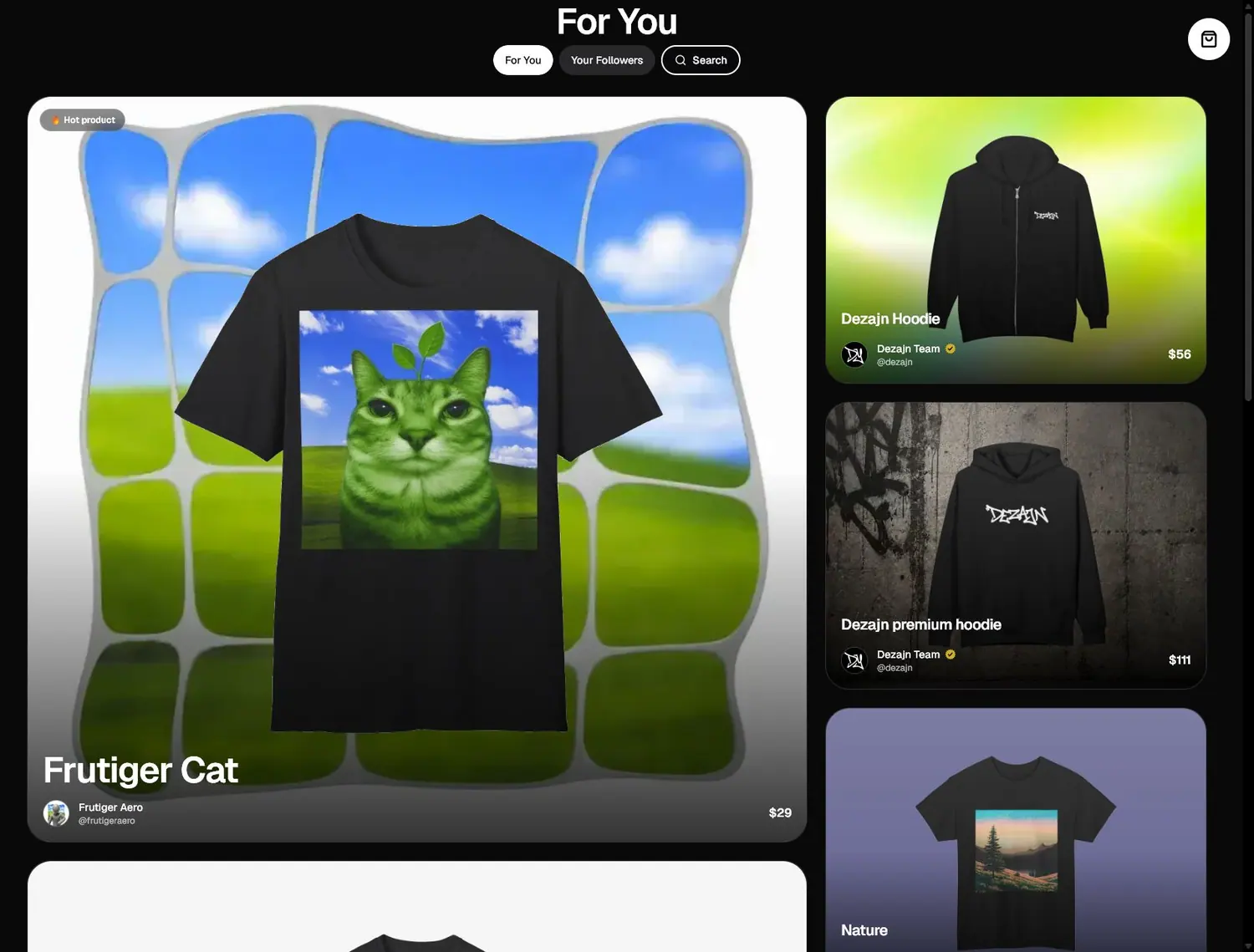
The For You page is the main marketplace. It shows products selected for you and highlights designs that are receiving attention.
Use Following to see products from designers you follow. Use Search when you already know a product or creator name.
What information is on a product page?
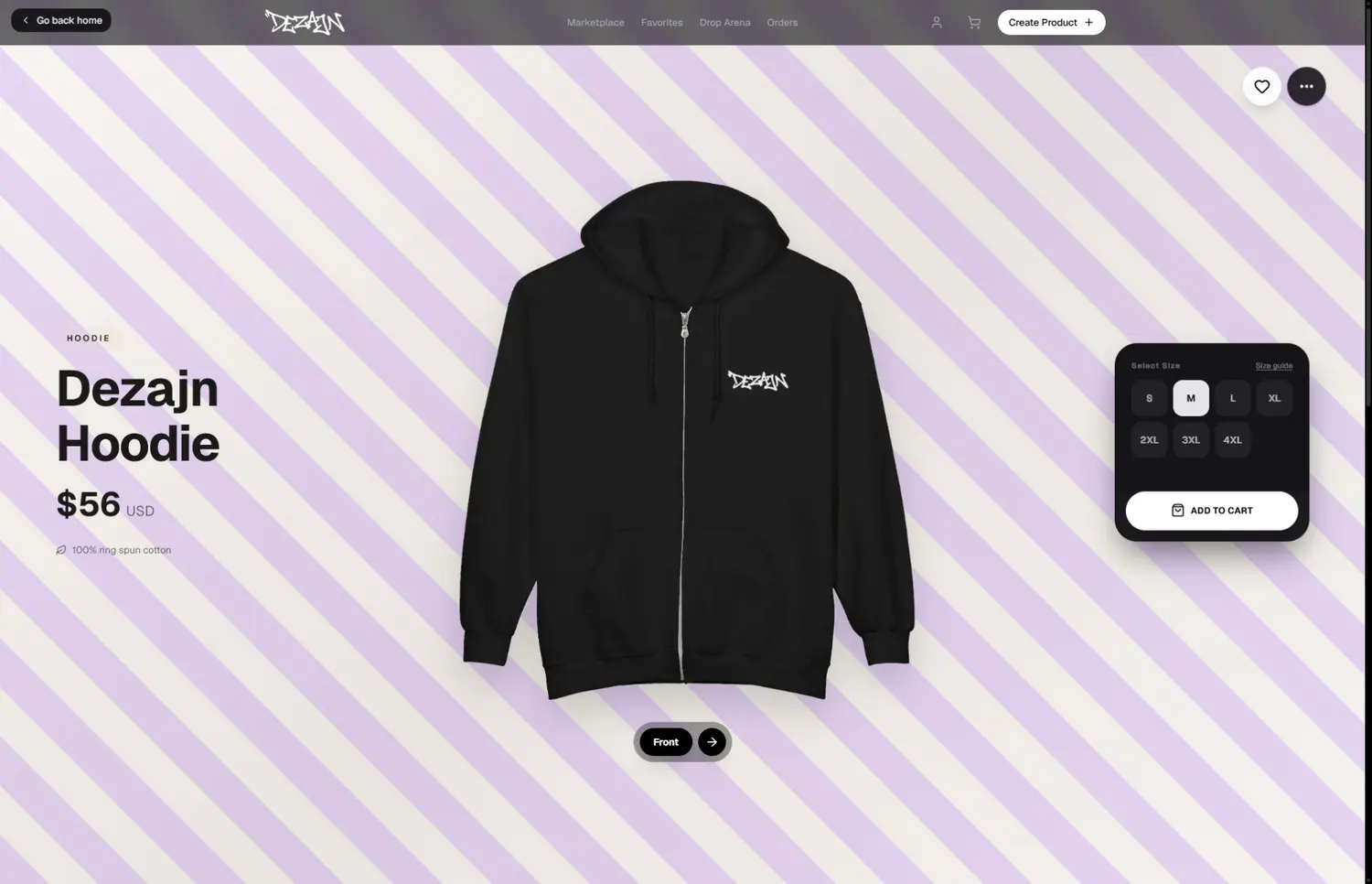
A product page shows the price, available sizes, front and back, material, care instructions, creator, expected delivery, and a size guide.
Choose a size before adding the item to your cart. Open the size guide if you are unsure.
What is the difference between Favorites and Cart?
Favorites keeps products you may want to return to later. Saving a product does not reserve or buy it.
Cart contains products you are preparing to buy. Review the size and quantity there before checkout.
What happens after I place an order?
Open Orders to see your purchases and their current status. You can search by order number, product, or status.
Open an individual order for its progress, tracking details, invoice, and any actions currently available for that order.
Where can I update my delivery address?
Your saved address is in Member Hub. You can also review the delivery address during checkout before paying.
Drop Arena
What is Drop Arena?
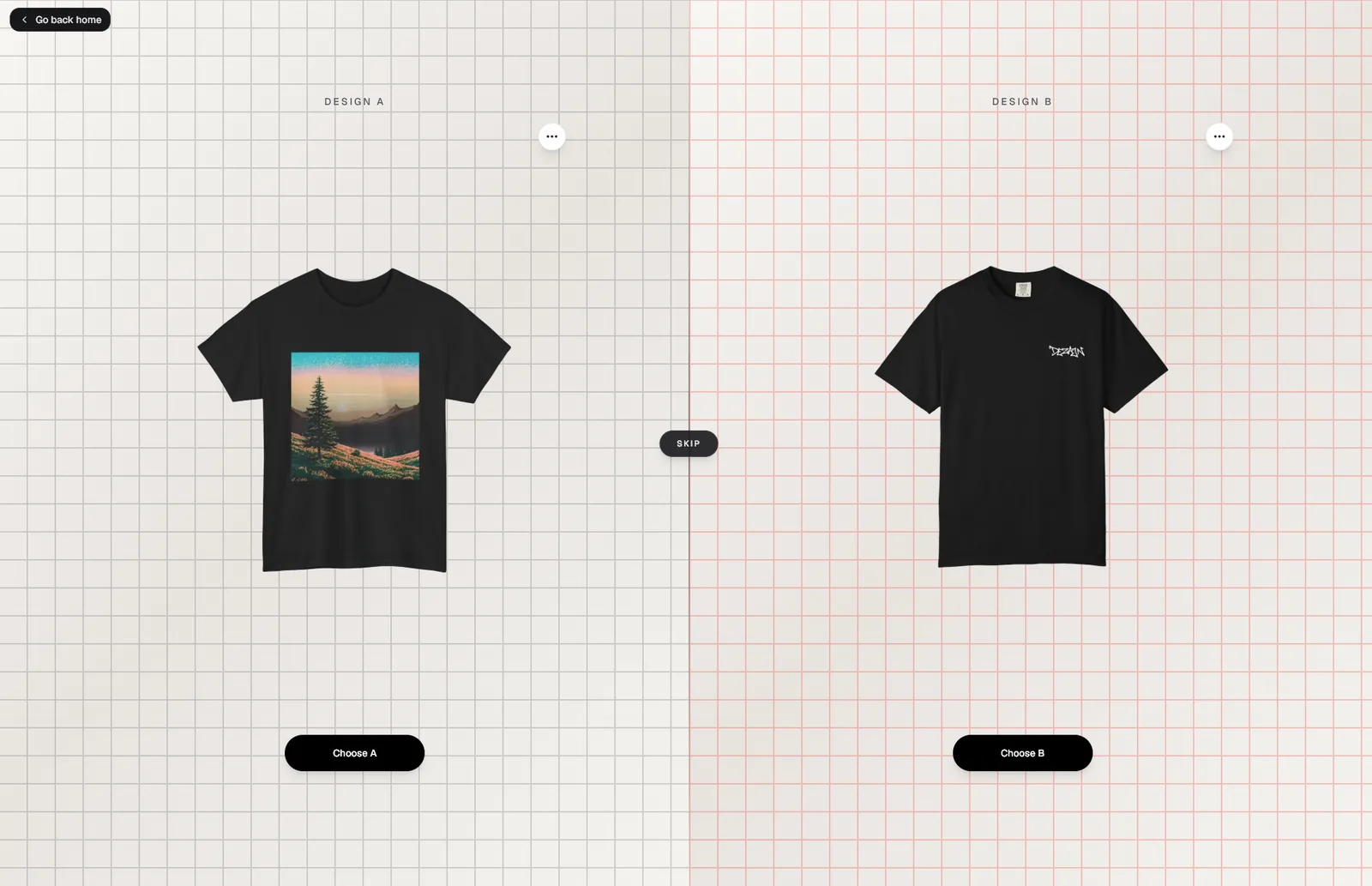
Drop Arena shows two products from the same category. Choose the one you would rather see featured in the marketplace.
Votes help decide which products receive more visibility. Voting does not buy, save, or add either product to your cart.

How should I choose a winner?
Pick the product you genuinely prefer. Think about the design you would be more likely to wear or recommend. There is no score to enter and no wrong answer.
Creating and selling
The creation flow takes you from an empty clothing item to a product that can appear in your store.
How do I start selling?
Become a designer, accept the current Designer Terms, and open Create. You can prepare your payout account from Billing before you need to withdraw earnings.
The creation flow is:
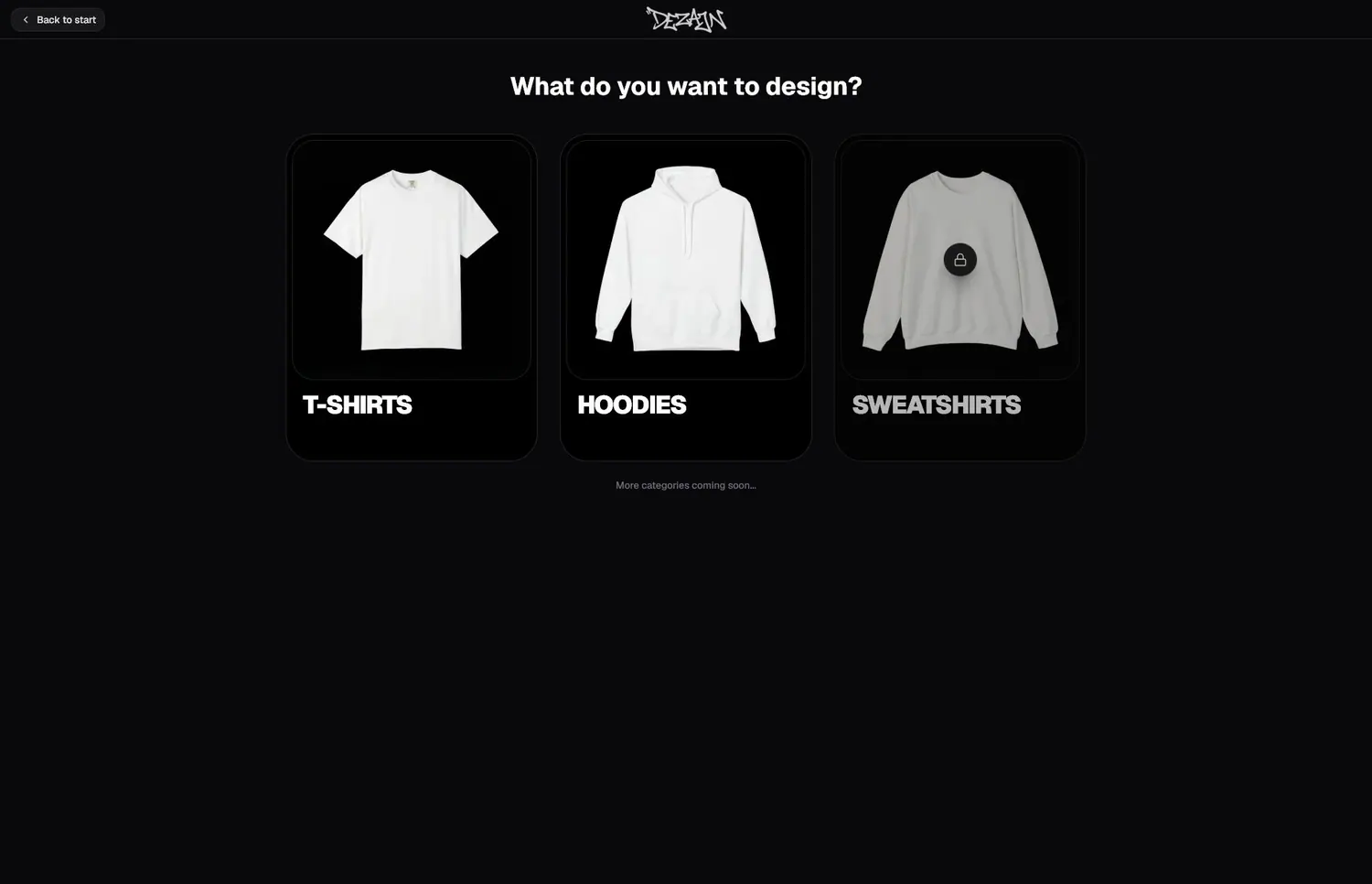
- Choose a clothing category.
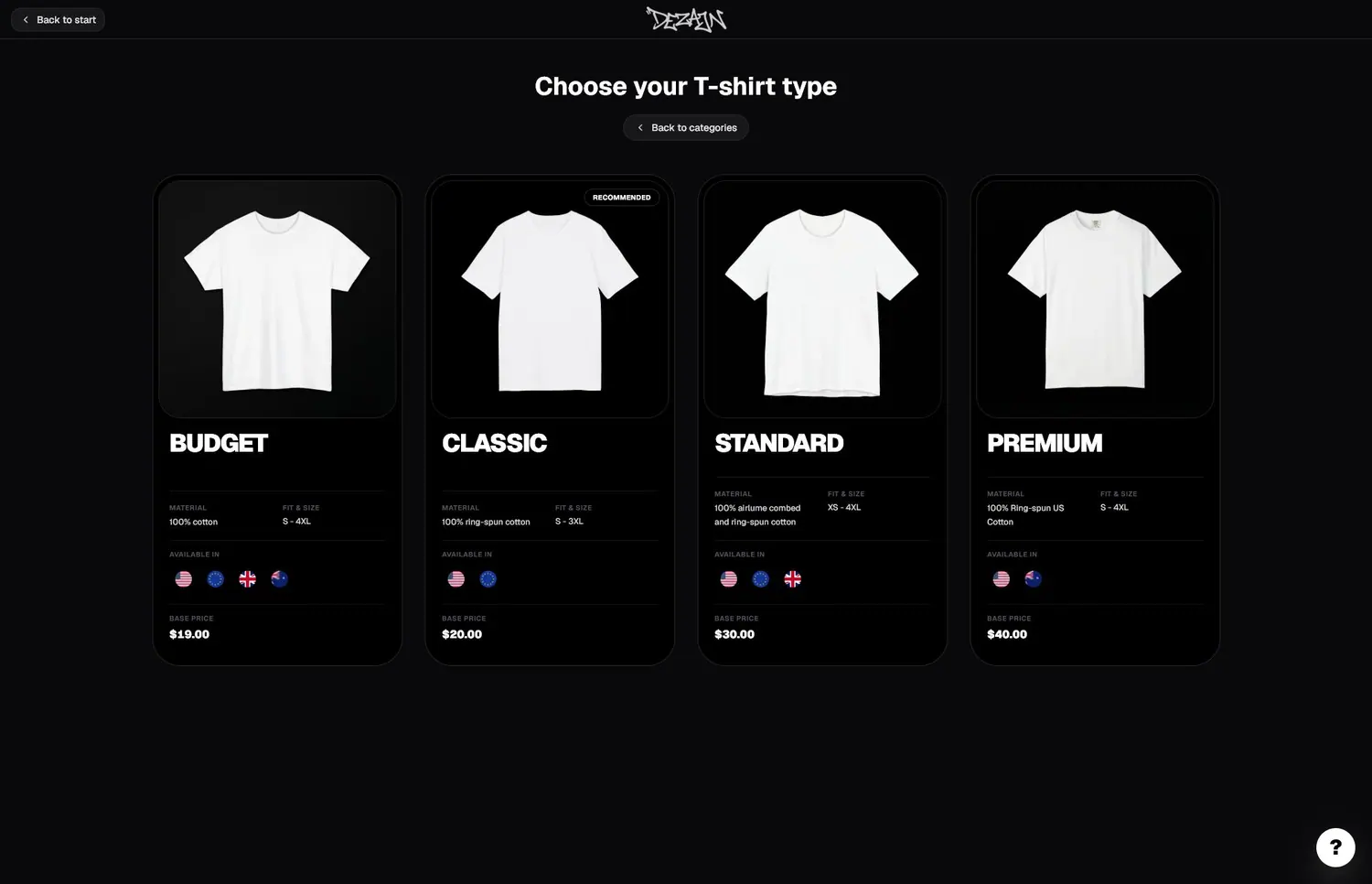
- Choose the exact clothing blank.
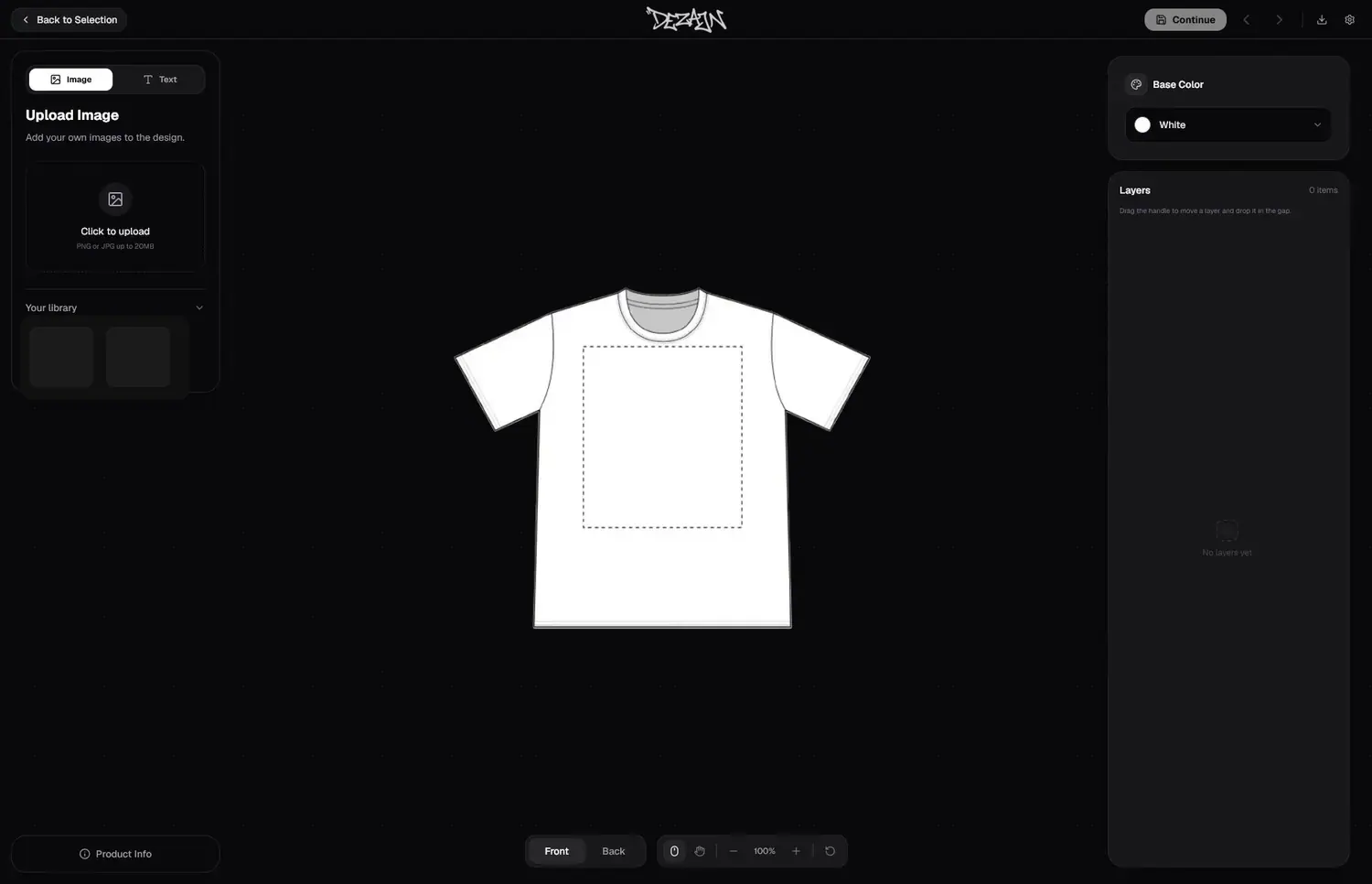
- Add an image or text to the front or back.
- Set the product name and available regions.
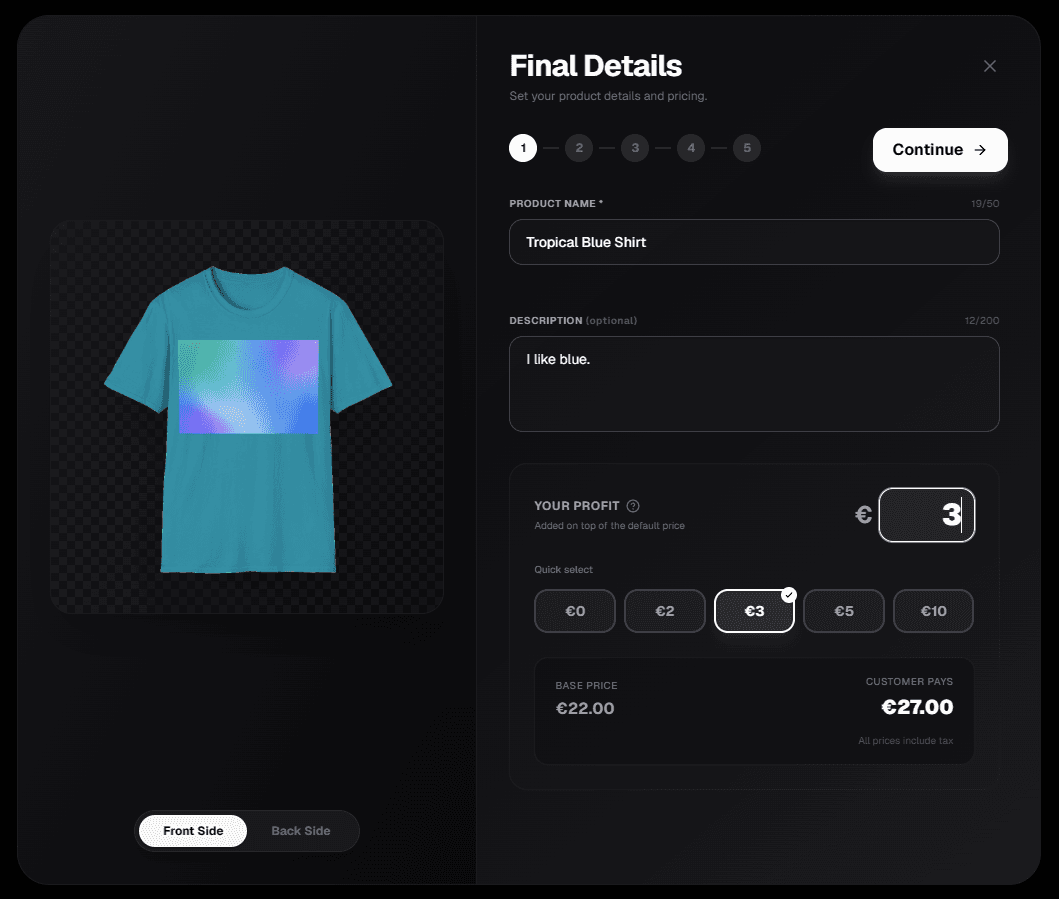
- Choose your profit and review the final customer price.
- Review the mockup and publish.
What is a clothing blank, and which one should I choose?
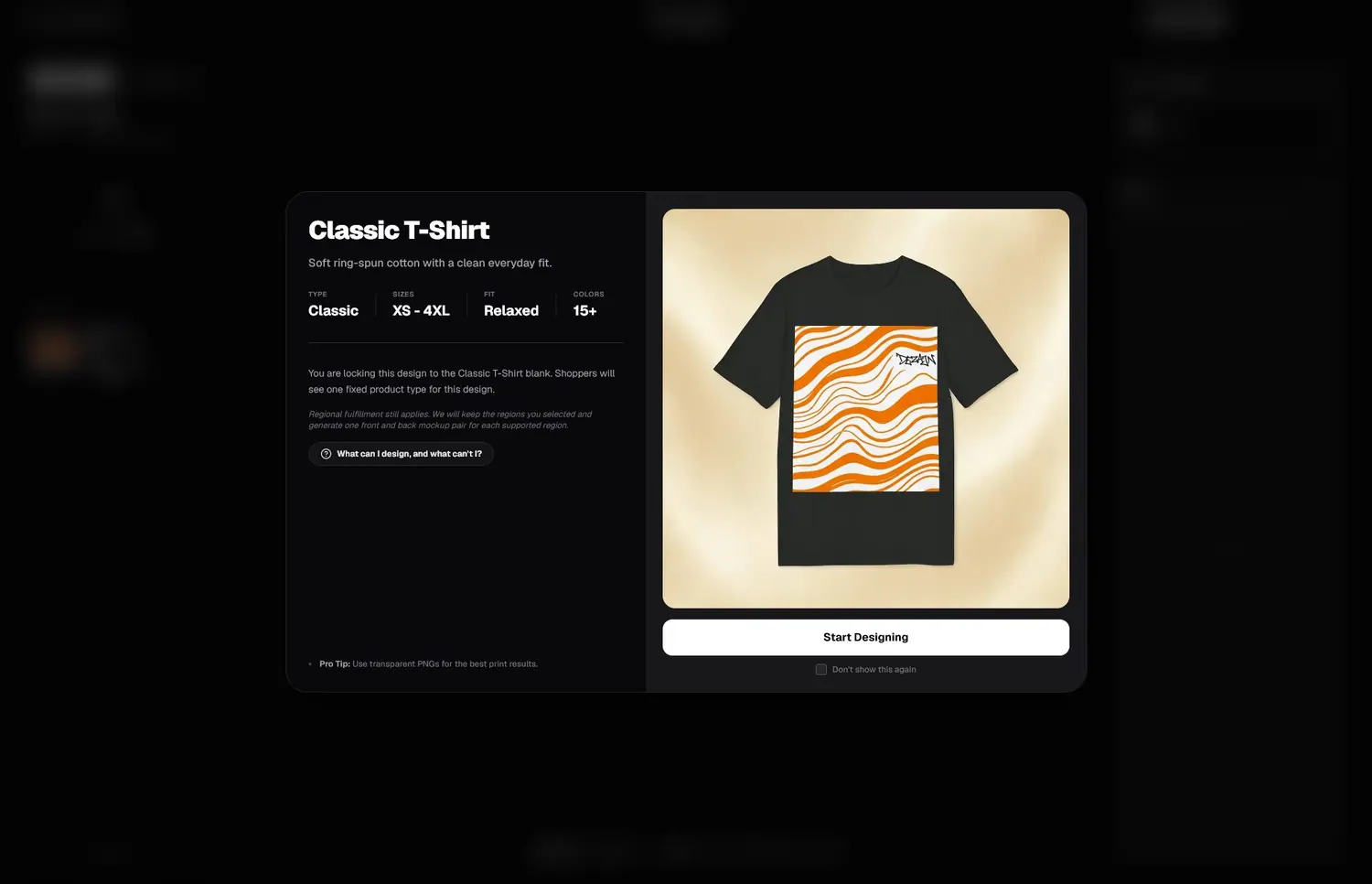
The blank is the real clothing item underneath your design. It decides the material, fit, size range, base price, and regional availability.
Choose the blank that matches the quality and final price you want. Shoppers buy the exact type you select here; they do not switch between blanks later.
What file should I upload for my design?
Upload a PNG or JPG up to 20 MB. A transparent PNG usually gives the cleanest print because it does not add an unwanted rectangular background.
Use artwork that is large and clear. Only upload work you created or have permission to sell.
How does the design editor work?
Add an image or text, then move and resize it inside the dotted print area. Use Front and Back to switch sides. Garment color changes the clothing color, and Layers shows everything placed on the current side.
Check both sides before continuing, even when one side is intentionally empty.
How is the product price calculated?
Every product has its own fixed base cost. This covers the clothing blank, printing, and the other costs required to make the item. Base costs differ between products, so two designs with the same profit may have different final prices.
In Final Details, enter the amount you want to earn in Your Profit. Dezajn adds that amount to the product's base cost and updates the customer price for you. You will always see the full price before you publish.
Currency is based on the selected region, so the symbol and displayed amounts can change between markets. Your profit is saved in the regional pricing shown during setup.
Review your profit carefully before publishing.
Once the product is published, its base cost and your chosen profit are locked and cannot be changed. This keeps the price and earnings agreed for that product consistent.
When a customer buys your product, your profit first appears as pending. If the order is delivered and is not cancelled or refunded, eligible funds normally become withdrawable seven days after recorded delivery, subject to disputes, refunds, and other adjustments under the Designer Terms. You can follow the release date and balance in Billing.
Can I sell in every region?
You can sell in all regions supported by the chosen blank and color, or select from the regions currently available. Some combinations are not available everywhere.
Dezajn prepares the correct product and mockup for each selected supported region.
What happens after I publish?
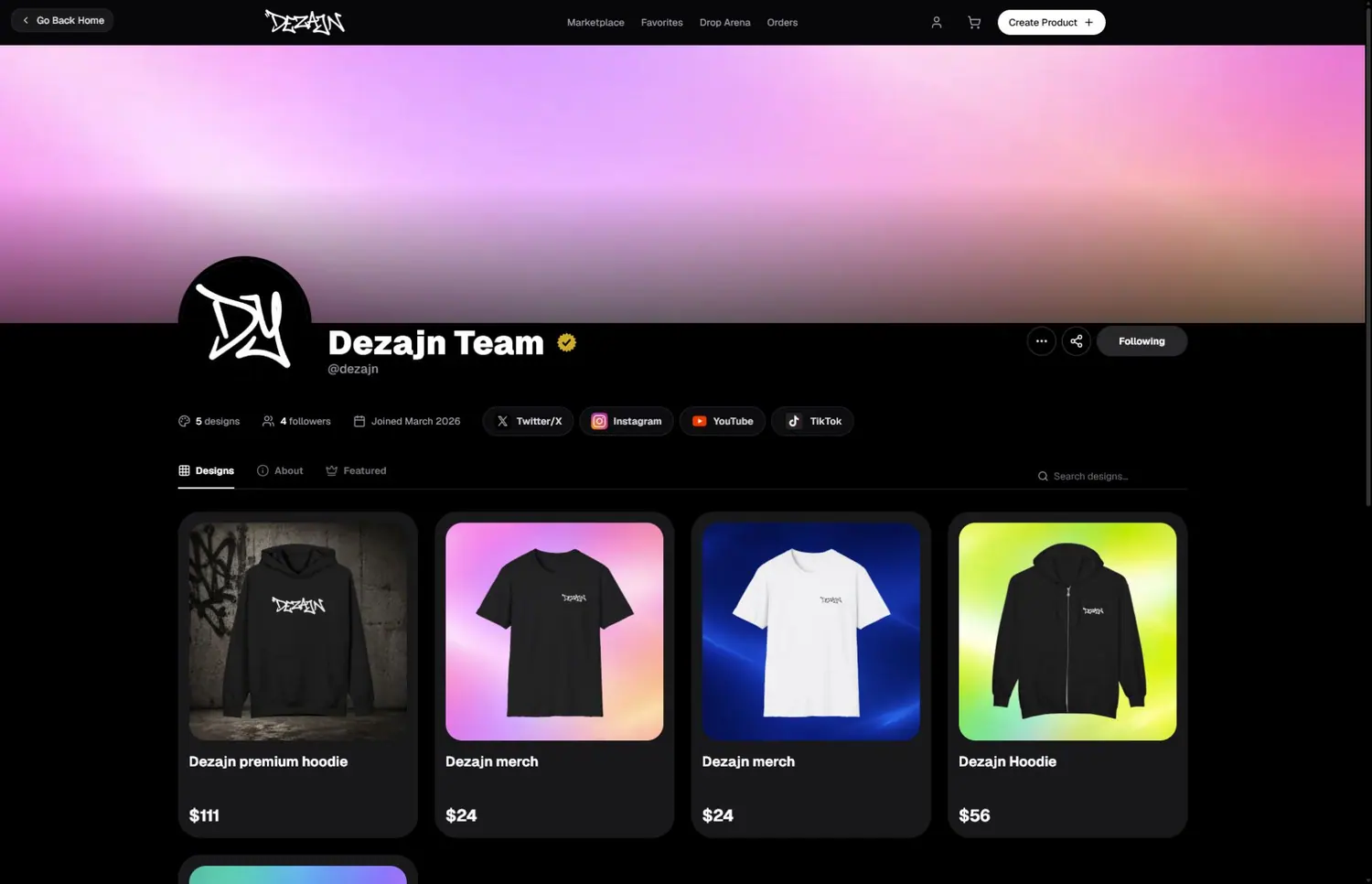
The product appears on your public profile and can be discovered in the marketplace. Open the product page or your profile to copy a link and share it with your audience.
Profiles and account
What can other people see on my profile?
Your public profile can show your name, username, profile picture, banner, bio, social links, follower count, products, and featured designs.
Where do I edit my profile or region?
Use Settings to change your public profile information and region. Changing region also changes the displayed currency and may change which products are available.
What is Member Hub for?
Member Hub contains your saved address, promo codes, notifications, and shortcuts for contacting support. It is for personal account and shopping information rather than store analytics.
Dashboard and payouts
What can I learn from Dashboard?
Dashboard shows how shoppers discover your store. You can review profile visits, visitor devices, product performance, purchases, demographics, and progress toward Top Designer status.
Change the date range when you want to compare recent activity with a longer period.
What is the difference between pending and available earnings?
Pending earnings are not ready to withdraw yet. Available earnings can be included in a payout when your payout setup is complete.
Billing also records sales, refunds, disputes, and withdrawals so you can understand why a balance changed.
How do I receive a payout?
- Accept the current Designer Terms.
- Connect Stripe and complete the required account questions.
- Return to Billing and wait for the setup to show as complete.
- Request a withdrawal when funds are available.
Bank transfers usually arrive within one to two business days after a withdrawal is processed.
Getting help
What should I do if something is wrong with an order?
Open the order first and check its latest status and tracking. If the information does not answer your question, contact the Support Center and include the order number.
What information should I include in a support request?
Explain what you tried, what you expected, and what happened instead. Include the relevant order or product and a screenshot when it helps show the problem.
Can I contact the Dezajn team directly?
Yes. Contact the team through the Support Center for help with your account, products, or orders.