Start with who will wear it
People buy a shirt to say something about themselves: a hobby, a place, a job, a joke their friends will get. Before you open the studio, finish this sentence: “This is for people who…”.
- A climbing pun for people who boulder every week.
- A minimal line drawing of a city for the people who live there.
- An inside joke from a profession: nurses, programmers, teachers, chefs.
Specific beats generic. “Coffee lover” competes with thousands of near-identical shirts; a design for night-shift nurses who run on coffee has an audience you can actually find, and they will share it with each other.
One idea, readable in three seconds
A T-shirt is seen in passing: across the street, or as a small image in a feed. If the idea needs explaining, it will not land.
- Use the squint test. Shrink the design to thumbnail size or step back from your screen. If you cannot tell what it is, simplify.
- Keep one focal point. One main image or one line of text. Supporting details stay smaller.
- Keep text short. A few words read better than a sentence. When you use text, make it the design rather than a caption under it.
Contrast with the fabric
The garment colour is part of your design. Light artwork on a dark garment and dark artwork on a light one are the safe choices; mid-tones on mid-tones disappear.
- Limit the palette to two to four colours. Fewer colours look deliberate and print more consistently.
- Check every garment colour you offer. A design that works on white can vanish on grey. If it only works on one colour, offer only that colour.
- Do not depend on exact shades. Printed colours look less vivid on fabric than on a backlit screen, and some fabric colours vary between batches. The studio marks the colours it does not recommend.
Typography that holds up
- One typeface, two at most. The studio offers more than 50 fonts and lets you upload your own TTF, OTF, WOFF or WOFF2 files. Upload only fonts whose licence allows commercial use on products.
- Prefer heavier weights. Thin strokes and small letters can break up on fabric. Short words in a bold weight read from a distance.
- Give letters room. Tight letter spacing only works for large display text.
- Use curved text sparingly. It suits badge and emblem layouts, but every curve makes words harder to read.
Size and placement
A design that looks right on screen often looks small on a body. These widths are common starting points for an adult T-shirt:
| Placement | Typical width | Works for |
|---|---|---|
| Full front | 25–30 cm (10–12 in) | Bold graphics and illustrations |
| Small chest print | 8–10 cm (3–4 in) | Minimal marks and small logos, often paired with a back print |
| Full back | 28–35 cm (11–14 in) | Large statements, or a second part of the front design |
In the Dezajn studio you can print on the front and the back. The editor shows the maximum printable area of the garment you choose; you do not have to fill it. Hoodie fronts have a shorter printable area than T-shirt fronts, so check the placement again when you switch garments.
Check it before you publish
- Look at the mockup at phone size. That is how most people will see it first.
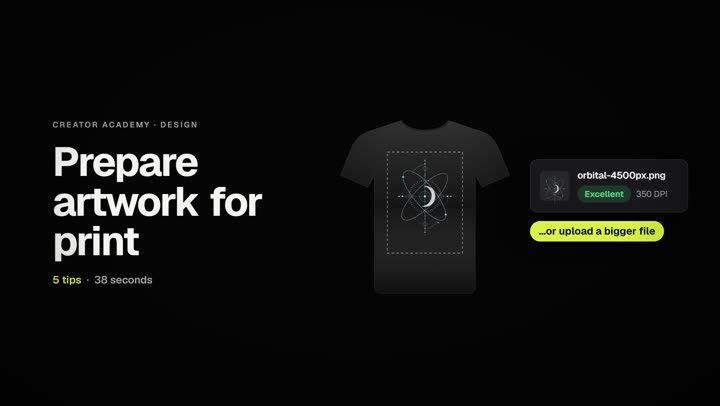
- Check the quality badge on every image layer. Aim for Excellent; see how to prepare artwork for print.
- Ask two or three people from the audience what the shirt says. If they hesitate, simplify.
- Make sure everything is yours or licensed. Brand logos, characters, song lyrics and celebrity likenesses are checked for when you publish, and products that use them can be held for review or rejected.
Frequently asked questions
Do I need to be a professional designer?
No. Many designs that sell are simple: a short phrase in a good font, or one clean illustration. A clear idea and a specific audience matter more than technical skill.
What is the best garment colour for a design?
There is no single best colour, but black and white are the safest, because almost any artwork has strong contrast on one of them. Choose the garment colour together with the artwork, not afterwards.
Can I use AI tools to create designs?
You can use any tool as long as you have the right to sell the result. AI output can closely copy protected characters or logos, and those are checked when you publish, so review it as carefully as any other artwork.
Can I use fonts I downloaded?
Only if the font licence allows commercial use on products for sale. Many free fonts are licensed for personal use only, so check before you upload one to the studio.